how to search for Induction done by Me

how do we find out 'how many inductions' are done by me
0
-
Official comment

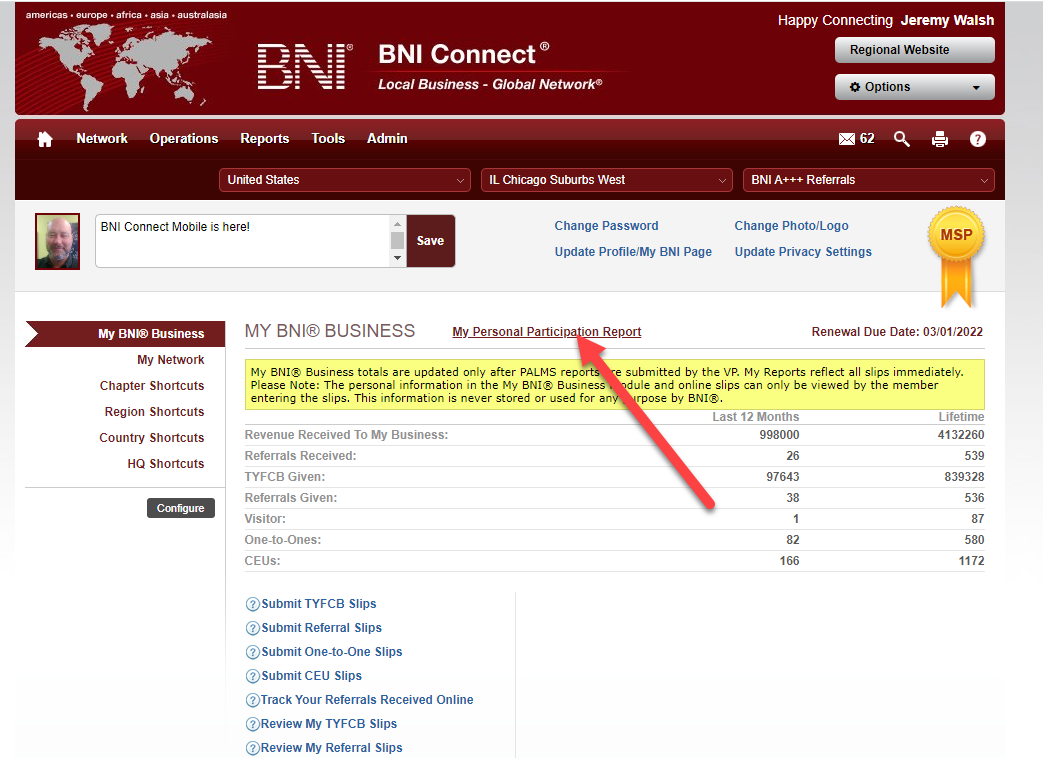
@ajay - great to hear from you, hope all is well! At the current time, this can only be done through the full website at www.bniconnect.com. Once logged in there, click on the MY PERSONAL PARTICIPATION REPORT at the top of the screen. This report will show you members you have sponsored in the last year.
https://www.screencast.com/t/0xSgwuA4y0If you are looking for a longer period of time you can use the full report under Reports>Chapter>Personal PALMS Report.
Hope this helps!
Please sign in to leave a comment.
Comments
1 comment