How to add/change photos on my BNI Profile

Please can you confirm how I can add/delete photos onto my BNI Connect profile.
Many thanks
-
Official comment

@allan - thanks for the assist!
@natasha - if you need additional tech assistance you may also send in a request to ticket@bniconnect.com. This forum is generally for "suggestions" and we only review it every other week.
-

Hi Natasha,
There are 2 ways you can do so.
1) You can use Picture Gallery to upload photos. Picture Gallery is under NETWORK menu. The drawback of using this is only BNI members are able to access uploaded photos.
2) Post photos in My Business section. This method is a little complicated. You will need to use HTML codes, like below.
<img src="https://bits.my/wp-content/uploads/2022/06/BITS-Logo-2-1-160x79.png" width="160" height="79">
Replace the bolded text with your image link. You can get this by right-clicking on the image and select "Copy image link". Then, control image size using width and height.
You can repeatedly use this code and post different pictures. This method will overcome 1st method limitation and display photos on your web profile for ALL to see, just like your webpage. That said, this method is best for smaller images due to space. Also, My Business section has characters limit of 1000. So, use it sparingly.
Hope this helps!
0 -
Thanks very much Allan 👌🏾
0 -

Allan, I am unable to find the 'My Business' section. Can you assist?
0 -
Stacy,
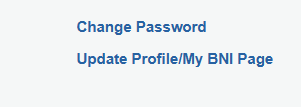
My Business section is in Update Profile just under chapter name.
 0
0

Please sign in to leave a comment.
Comments
5 comments